
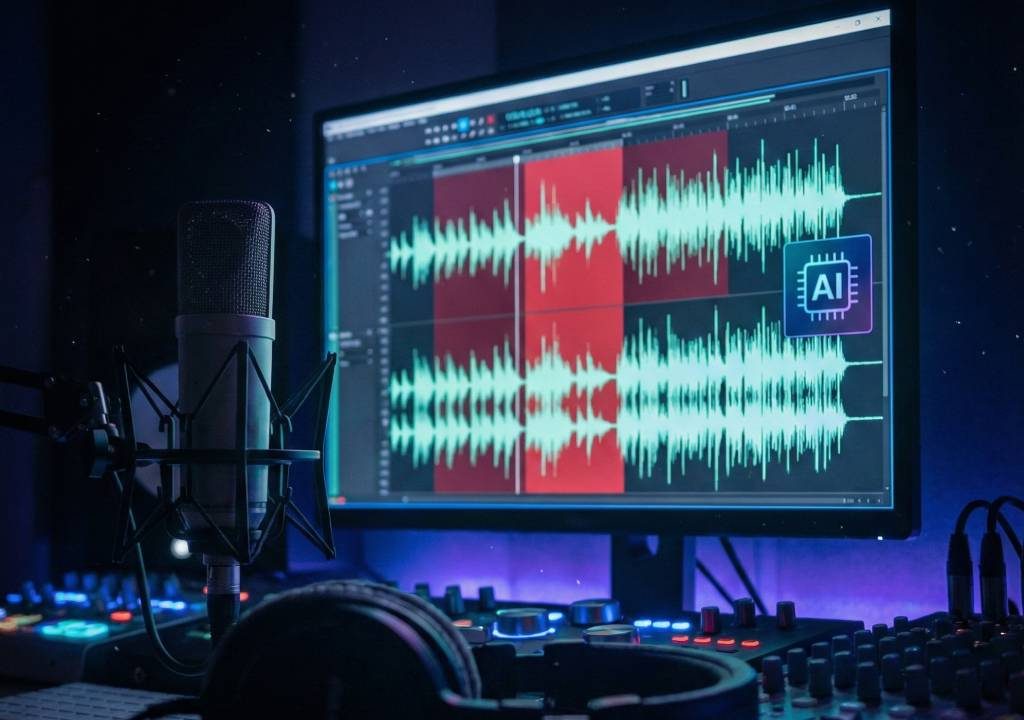
Producing a polished podcast no longer requires hours of manual audio scrubbing. In 2026, AI for podcast editing has transformed post-production—automatically detecting and removing background noise, filler words (ums, ahs, likes), awkward silences, mouth clicks, and even reverb, often in one click. Tools like Descript, Adobe Podcast, Cleanvoice, and Auphonic deliver near-studio quality results with minimal effort, letting creators focus on content instead of tedious cleanup. Whether you’re a solo podcaster, interview host, or remote team, AI for podcast editing saves time, improves listener retention, and helps smaller shows sound professional. This guide reviews the best tools, explains how they work, and provides a practical workflow to get clean, engaging audio fast.
Why AI for Podcast Editing Is a Game-Changer in 2026
Manual editing can take 3–10× the length of the raw recording. AI cuts that to minutes by intelligently analyzing waveforms, speech patterns, and context. It removes distractions that cause listener drop-off (noise, fillers) while preserving natural speech rhythm. Many tools now offer speaker separation, loudness normalization, and EQ—previously pro-level tasks—making high-quality podcasts accessible to everyone.
How AI Removes Noise and Filler Words Automatically
AI models are trained on millions of hours of speech to recognize human vocal patterns. Noise reduction uses spectral gating and deep learning to isolate voice from hums, fans, traffic. Filler detection identifies common non-lexical sounds (um, uh, er, you know) and removes or shortens them without creating unnatural gaps. Advanced tools like Descript’s Overdub even regenerate sentences if fillers disrupt flow.
Top AI Tools for Podcast Editing in 2026
1. Descript – Best All-in-One Overdub & Filler Removal
Descript turns audio into editable text—delete fillers, ums appear crossed out and vanish from audio. Overdub regenerates voice from script changes. Pros: Revolutionary workflow, multitrack; cons: Learning curve. Pricing: Free tier, Creator $12/mo. Try Descript.
2. Adobe Podcast (Enhance Speech) – Studio-Quality Noise Cleanup
Adobe’s free web tool (beta → full in 2026) removes noise, reverb, and levels audio to broadcast standard. Excellent for interviews. Pros: One-click magic, high fidelity; cons: Web-only, no filler removal yet. Access Adobe Podcast.
3. Cleanvoice – Specialized Filler Word & Silence Remover
Cleanvoice focuses purely on fillers, stutters, silences, mouth sounds. Supports 30+ languages. Pros: Precise, batch processing; cons: No full editing suite. Pricing: $10–$20/mo. Visit Cleanvoice.
4. Auphonic – Automatic Leveling, Noise & Filler Reduction
Auphonic processes uploads with noise reduction, loudness normalization, silence trimming, and light filler shortening. Pros: Set-and-forget, great for batch; cons: Less aggressive filler removal. Pricing: 2 hours free/month, $11+/mo. Check Auphonic.
5. Krisp – Real-Time & Post-Production Noise Cancellation
Krisp removes background noise in recording or post (upload audio). Pros: Real-time during calls, post-processing; cons: Filler removal limited. Free 60 min/week, paid $8+/mo. See Krisp.
| Tool | Noise Removal | Filler Removal | Multitrack | Pricing (2026) | Best For |
|---|---|---|---|---|---|
| Descript | Strong | Excellent | Yes | Free/$12+ mo | Full editing workflow |
| Adobe Podcast | Outstanding | Limited | No | Free | Quick noise cleanup |
| Cleanvoice | Good | Outstanding | No | $10–$20/mo | Filler-heavy podcasts |
| Auphonic | Very good | Moderate | Yes | 2h free/$11+ mo | Batch processing |
| Krisp | Excellent | Basic | No | 60 min free/$8+ mo | Live & post noise cancel |
Step-by-Step Workflow Using AI for Podcast Editing
- Record raw audio (mic + backup).
- Upload to Cleanvoice or Descript → remove fillers & silences.
- Run through Adobe Podcast or Krisp for noise/reverb reduction.
- Import to Descript or Auphonic for leveling, EQ, final polish.
- Export, add music in Audacity/CapCut, upload.
Tips to Get the Best Results with AI Podcast Tools
- Record in quiet space—AI performs better with cleaner input.
- Use high-quality mics (even USB) to reduce aggressive processing artifacts.
- Review edits—AI occasionally cuts natural pauses.
- Combine tools: Cleanvoice → Adobe → Descript for best outcome.
- Check export settings (44.1kHz, -16 LUFS for podcasts).
Elevate Your Podcast with AI for Podcast Editing
AI for podcast editing in 2026 removes the biggest barriers to professional sound—noise and fillers—letting creators deliver clean, engaging episodes faster than ever. Start with free tools like Adobe Podcast and Cleanvoice trials, then scale to Descript for full control. Your listeners will notice the difference. For more resources, explore Descript’s podcast guide or Auphonic’s blog.









